

- Joined
- Jun 15, 2018
- Messages
- 10,572
- Points
- 113
Package name: com.lemonjamgames.cybergunner
Cyber Gunner 1.0.0 time_update
| Version: | 1.0.0 |
|---|---|
| Package: | com.lemonjamgames.cybergunner |
| Root needed: | NO |
| Internet required: | YES |
| Size: | 508 MB |
| Price: | Free |
| Support: | Android |
| Categories: | Action Game |
| CHPlay URL: | here |
FREE Features |
|
VIP Features |
|
1. Android 6+ it is necessary to enable the storage & phone permissions in the app settings first
Go to Setting => App manager => Find game => Click it to enable
NOTE: VIP MEMBER
Then enable the storage & phone permissions. Play game but get crash.
PLEASE COPY blackmod.license files AND PUT IT IN
-> Internal memory/Android/obb/com.lemonjamgames.cybergunner
If your phone have no com.lemonjamgames.cybergunner folder. U can create new folder and change name it to com.lemonjamgames.cybergunner
Some people like to use them Windows PC to use our MODs and keep asking us which emulator is working best. The answer is LDPlayer 9 as all VIP MODs which support emulators are tested with it.
Download: click here
Credits: Legend - BlackMod Team
Game Description
Since the beginning of the space age, source codes have been providing a constant supply of energy for planets.One day, the source codes of the three planets that provide the energy were exposed to a massive amount of sudden cosmic radiation, which mutated many of the giant creatures. Other inhabitants are forced to migrate to other planets for their livelihood.
The greedy leader of these mutated creatures began to affect all the surrounding inhabited planets that depend on the three major energy-providing planets, and the entire 7th Universe was thrown into chaos.
After that, the Interstellar Management has officially launched a rescue operation, and its code is:
-CYBER GUNNER-
FAQ - Read References First
2. Tap the download link. You will be redirected to a confirmation page
3. Scroll to the bottom and tap “Download NOW”.
4. You will be redirected to the download page to download the APK.
2- Download modded APK (Sign)
3- Install modded APK
4- Enjoy =)
2- Your device must be full patched. How to? Read: Tutorial in Here
3- Download and install unsigned APK.
Google+ login possible? Yes.
Facebook login possible? Yes.
Specific Game Account login possible (for example: HIVE)? Yes.
1- Download obb.zip / data.zip and extract it
2 - Copy the game OBB folder (com.game.package) to: Android/obb on your device
- Or Copy the game Data folder (com.game.package) to: Android/data on your device
3- Download and Install mod APK
5- Enjoy
If ur phone use Android 11. Please read it : https://blackmod.net/threads/25242/
Disable Signature Verification with Core Patch: Read tutorial in here
[Android 6.0 or Later] Need enable Permissions. Go to Settings > Manage Applications > Select App > Permissions > Grant Permission
If game have menu mod. Need enable Appear On Top (Or Allow Floating Windows) Permission
1. Find your game packpage name, Use an app on your phone.
- Install Package Name Viewer 2.0 from the Play Store.
- Scroll through the app list to find the app for which you need the package name.
You can also use the search button to quickly look for a particular application or game.
The package name is listed just under the name of app.
2. Backup your data .
- Open file manager find Android forder !
- Go to Android forder you will see two Forder name "data" and "obb" .
- Open "data" forder and find your packpage name game you want to Kepp Account (Example: com.tencent.ig).
- Rename it to whatever you like ( Example: com.tencent.ig -> rename it to com.tencent.ig.keepdata)
3. Uninstall Old Version and Install New Versions .
4. Back to file manager, Unrename your packpage you renamed in step 2 ( Exam : "com.tencent.ig.keepdata" -> rename it to "com.tencent.ig").
5. Open Game and Enjoy MOD With Your Save Data !
2. Apps (Or Appmanagement).
3. Find Your Game.
4. Press It And Chosse.
5. Appear On Top (Or Allow Floating Windows) Permission.
6. Turn On Permission .
7. Enjoy MOD !!!
VIP AREA
Mod versions from Blackmod Team are advertised by us and shared without fee
We need money to build and develop the site and that is the way we make money.
On our site you can easily download Cyber Gunner v1.0.0 Mod! All without registration and send SMS!
With good speed and without virus!
If you see a game update, that we do not have the ability to update, please send us the latest Apk package in Legend profile, thanks!
- Joined
- Jun 15, 2018
- Messages
- 10,572
- Points
- 113

Sent from M2101K6G using BlackMarket App

Hey there, i did update Game Cyber Gunner v1.0.0 MOD FOR ANDROID | MENU MOD | DMG MULTIPLE | DEFENSE MULTIPLE. Now you can enjoy it
Under-Testing By:•BMT Modroid𓂀


- Game Name: Cyber Gunner
- MOD Version: v1.0.0
- MOD Price: FreeSupport
- Category: Action Games
•Performed Operations
Within the confines of the first test ` ʍօժɾօìժ𓁿` has done
✓ Functional testing | ×
✓ Creating Checklist | √
The game after the first loading message Crashe immediately
This Is Personal Test, Same Issue Found in 2 Devices
- RMX1991. ( Crashed First Loading )
- Samsung A30. ( Instant Crash Mid Loading )
√ MOD Rating:

Game Review

For Same Error Press

- Credits:Legend - BlackMod Team
- FAQ
1- Remove original game
2- Download modded APK (Sign)
3- Install modded APK
4- Enjoy =)1- Your device must be rooted.
2- Your device must be full patched. How to? Read: Tutorial in Here
3- Download and install unsigned APK.
Google+ login possible? Yes.
Facebook login possible? Yes.
Specific Game Account login possible (for example: HIVE)? Yes.Way 1 (root & no-root):
1- Download OBB files or DATA files and extract files zip
2 - Move OBB Files (con.xxx folder) to Android/OBB folder in your device
- Or move Data files (com.xxx folder) to Android/data folder in your device
3- Download and Install mod APK
5- Enjoy
If ur phone use Android 11. Please read it : How to access /Android/obb directory on Android 11 - Best Site Hack Game Android - iOS Game Mods - BlackMod.Net[Android 6.0 or Later] Need enable Permissions. Go to Settings > Manage Applications > Select App > Permissions > Grant Permission
If game have menu mod. Need enable Appear On Top (Or Allow Floating Windows) PermissionI. HOW TO LOGIN WITH GOOGLE+
1. Your device needs root!
2. You have to unsign APK (sometimes unsigned APKs are uploaded too, then you can skip this)
3. You must install original game and login with Google+ or FB (don't remove game after!)
4. You have to Disable Signature Verification with Lucky Patcher or Core Patch or use VM APP
6. You install the modded APK over the original game
7. Thats it =)
blackmod.net
How to Disable Signature Check Using Core Patch App To Install Unsigned APK (Xposed/EdXposed) (Root)
How To Disable Signature Verification To Install Unsigned APK (Rooted Device/VMOS) (Lucky Patcher)
II. HOW TO LOGIN WITH FACEBOOK ACC :
1. Uninstall or Turn off app fb, fb messeger... on device
2. Restart phone. and login it.
3. Then login game. You can install again1. Find your game packpage name, Use an app on your phone.
- Install Package Name Viewer 2.0 from the Play Store.
- Scroll through the app list to find the app for which you need the package name.
You can also use the search button to quickly look for a particular application or game.
The package name is listed just under the name of app.
2. Backup your data . - Open file manager find Android forder !
- Go to Android forder you will see two Forder name "data" and "obb" .
- Open "data" forder and find your packpage name game you want to Kepp Account (Example: com.tencent.ig).
- Rename it to whatever you like ( Example: com.tencent.ig -> rename it to com.tencent.ig.keepdata)
3. Uninstall Old Version and Install New Versions .
4. Back to file manager, Unrename your packpage you renamed in step 2 ( Exam : "com.tencent.ig.keepdata" -> rename it to "com.tencent.ig").
5. Open Game and Enjoy MOD With Your Save Data !
Allrights-ReservedBMTeam
- FAQ

JuzSunny89
Install, Play, Uninstall
Asus ROG also keep on crashing•BMT | @Modroid | TEST Results•INTRODUCTION
- Game Name: Cyber Gunner
- MOD Version: v1.0.0
- MOD Price: FreeSupport
- Category: Action Games
Hello @Legend , first of all, thank you for your effort, I tested your mod and made a list of what I thought was tested with all errors or it worked well. I will show you the list below and on each mark ✓ It will be a perfect love and we are grateful for it. If it has an x mark, it will be defective or wrong, and I will explain this defect from what, with the possibility of attaching a video
•Performed Operations
Within the confines of the first test ` ʍօժɾօìժ𓁿` has done
✓ Functional testing | ×
°Due Instant Crashing✓ Installation testing | √
✓ Creating Checklist | √
° MOD MENU | NOT-Tested ×° Damage MULTIPLE | NOT-Tested ×° Defense MULTIPLE | NOT-Tested וMOD Version Not Working ×The game after the first loading message Crashe immediately
This Is Personal Test, Same Issue Found in 2 Devices
- RMX1991. ( Crashed First Loading )
- Samsung A30. ( Instant Crash Mid Loading )
This test was limited to my personal force of the mod, it may be compatible with another device. Unless the contrary is proven and the validity of this mod does not work
√ MOD Rating:
Game Review
For Same Error Press
- Credits:Legend - BlackMod Team
- FAQ
1- Remove original game
2- Download modded APK (Sign)
3- Install modded APK
4- Enjoy =)1- Your device must be rooted.
2- Your device must be full patched. How to? Read: Tutorial in Here
3- Download and install unsigned APK.
Google+ login possible? Yes.
Facebook login possible? Yes.
Specific Game Account login possible (for example: HIVE)? Yes.Way 1 (root & no-root):
1- Download OBB files or DATA files and extract files zip
2 - Move OBB Files (con.xxx folder) to Android/OBB folder in your device
- Or move Data files (com.xxx folder) to Android/data folder in your device
3- Download and Install mod APK
5- Enjoy
If ur phone use Android 11. Please read it : How to access /Android/obb directory on Android 11 - Best Site Hack Game Android - iOS Game Mods - BlackMod.Net[Android 6.0 or Later] Need enable Permissions. Go to Settings > Manage Applications > Select App > Permissions > Grant Permission
If game have menu mod. Need enable Appear On Top (Or Allow Floating Windows) PermissionI. HOW TO LOGIN WITH GOOGLE+
1. Your device needs root!
2. You have to unsign APK (sometimes unsigned APKs are uploaded too, then you can skip this)
3. You must install original game and login with Google+ or FB (don't remove game after!)
4. You have to Disable Signature Verification with Lucky Patcher or Core Patch or use VM APP
6. You install the modded APK over the original game
7. Thats it =)
blackmod.net
How to Disable Signature Check Using Core Patch App To Install Unsigned APK (Xposed/EdXposed) (Root)
How To Disable Signature Verification To Install Unsigned APK (Rooted Device/VMOS) (Lucky Patcher)
II. HOW TO LOGIN WITH FACEBOOK ACC :
1. Uninstall or Turn off app fb, fb messeger... on device
2. Restart phone. and login it.
3. Then login game. You can install again1. Find your game packpage name, Use an app on your phone.
- Install Package Name Viewer 2.0 from the Play Store.
- Scroll through the app list to find the app for which you need the package name.
You can also use the search button to quickly look for a particular application or game.
The package name is listed just under the name of app.
2. Backup your data . - Open file manager find Android forder !
- Go to Android forder you will see two Forder name "data" and "obb" .
- Open "data" forder and find your packpage name game you want to Kepp Account (Example: com.tencent.ig).
- Rename it to whatever you like ( Example: com.tencent.ig -> rename it to com.tencent.ig.keepdata)
3. Uninstall Old Version and Install New Versions .
4. Back to file manager, Unrename your packpage you renamed in step 2 ( Exam : "com.tencent.ig.keepdata" -> rename it to "com.tencent.ig").
5. Open Game and Enjoy MOD With Your Save Data !
Allrights-ReservedBMTeam
- Joined
- Jun 15, 2018
- Messages
- 10,572
- Points
- 113
•BMT | @Modroid | TEST Results•INTRODUCTION
- Game Name: Cyber Gunner
- MOD Version: v1.0.0
- MOD Price: FreeSupport
- Category: Action Games
Hello @Legend , first of all, thank you for your effort, I tested your mod and made a list of what I thought was tested with all errors or it worked well. I will show you the list below and on each mark ✓ It will be a perfect love and we are grateful for it. If it has an x mark, it will be defective or wrong, and I will explain this defect from what, with the possibility of attaching a video
•Performed Operations
Within the confines of the first test ` ʍօժɾօìժ𓁿` has done
✓ Functional testing | ×
°Due Instant Crashing✓ Installation testing | √
✓ Creating Checklist | √
° MOD MENU | NOT-Tested ×° Damage MULTIPLE | NOT-Tested ×° Defense MULTIPLE | NOT-Tested וMOD Version Not Working ×The game after the first loading message Crashe immediately
This Is Personal Test, Same Issue Found in 2 Devices
- RMX1991. ( Crashed First Loading )
- Samsung A30. ( Instant Crash Mid Loading )
This test was limited to my personal force of the mod, it may be compatible with another device. Unless the contrary is proven and the validity of this mod does not work
√ MOD Rating:
Game Review
For Same Error Press
- Credits:Legend - BlackMod Team
- FAQ
1- Remove original game
2- Download modded APK (Sign)
3- Install modded APK
4- Enjoy =)1- Your device must be rooted.
2- Your device must be full patched. How to? Read: Tutorial in Here
3- Download and install unsigned APK.
Google+ login possible? Yes.
Facebook login possible? Yes.
Specific Game Account login possible (for example: HIVE)? Yes.Way 1 (root & no-root):
1- Download OBB files or DATA files and extract files zip
2 - Move OBB Files (con.xxx folder) to Android/OBB folder in your device
- Or move Data files (com.xxx folder) to Android/data folder in your device
3- Download and Install mod APK
5- Enjoy
If ur phone use Android 11. Please read it : How to access /Android/obb directory on Android 11 - Best Site Hack Game Android - iOS Game Mods - BlackMod.Net[Android 6.0 or Later] Need enable Permissions. Go to Settings > Manage Applications > Select App > Permissions > Grant Permission
If game have menu mod. Need enable Appear On Top (Or Allow Floating Windows) PermissionI. HOW TO LOGIN WITH GOOGLE+
1. Your device needs root!
2. You have to unsign APK (sometimes unsigned APKs are uploaded too, then you can skip this)
3. You must install original game and login with Google+ or FB (don't remove game after!)
4. You have to Disable Signature Verification with Lucky Patcher or Core Patch or use VM APP
6. You install the modded APK over the original game
7. Thats it =)
blackmod.net
How to Disable Signature Check Using Core Patch App To Install Unsigned APK (Xposed/EdXposed) (Root)
How To Disable Signature Verification To Install Unsigned APK (Rooted Device/VMOS) (Lucky Patcher)
II. HOW TO LOGIN WITH FACEBOOK ACC :
1. Uninstall or Turn off app fb, fb messeger... on device
2. Restart phone. and login it.
3. Then login game. You can install again1. Find your game packpage name, Use an app on your phone.
- Install Package Name Viewer 2.0 from the Play Store.
- Scroll through the app list to find the app for which you need the package name.
You can also use the search button to quickly look for a particular application or game.
The package name is listed just under the name of app.
2. Backup your data . - Open file manager find Android forder !
- Go to Android forder you will see two Forder name "data" and "obb" .
- Open "data" forder and find your packpage name game you want to Kepp Account (Example: com.tencent.ig).
- Rename it to whatever you like ( Example: com.tencent.ig -> rename it to com.tencent.ig.keepdata)
3. Uninstall Old Version and Install New Versions .
4. Back to file manager, Unrename your packpage you renamed in step 2 ( Exam : "com.tencent.ig.keepdata" -> rename it to "com.tencent.ig").
5. Open Game and Enjoy MOD With Your Save Data !
Allrights-ReservedBMTeam
Ads not showing , game will crash . mod working fine on my devicesAsus ROG also keep on crashing
JuzSunny89
Install, Play, Uninstall
Thanks, fixed the problemAds not showing , game will crash . mod working fine on my devices
I just can't play it Offline

Thanks mr @Legend i will test again and feedback ❤Ads not showing , game will crash . mod working fine on my devices
I have disable. Any active dns or ad blocker and same results also tryed vip license same ?? I will keep test and feedbackAds not showing , game will crash . mod working fine on my devices
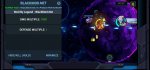
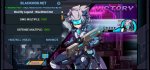
You can try, after click game then click home ( you phone waiti notice mod and back to game again)Sorry but still not working for me, but sounds great its working on other devices


Blackmod1994
MOD 🇺🇸🇪🇷
- Joined
- Dec 9, 2021
- Messages
- 8
- Points
- 8
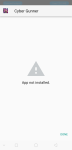
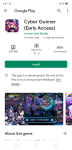 cannot even install, but playstore show my device work fine on this game
Device infoView attachment 27713View attachment 27714cannot even install, but playstore show my device work fine on this game


