What's new
  • If you have problems with your VIP upgrade send a photo of your bill directly to @Aurora at here, he will assist you in the fastest. Do not worry!!!

BLACK TEAM Game Shining Beyond SEA v1.0.35 MOD FOR ANDROID | MENU MOD | DMG MULTIPLE | DEFENSE MULTIPLE

Kevin Hart

Support
Staff member
Support Team
Joined
Oct 4, 2018
Messages
7,132
Points
113
Force close
All permission enabled
Device redmi note 8 pro no root
Android 10

Video :
force close dont know what to do
Hi sir. Can you confirm if it still force closes? Cause mine force closes too , same as these others 😆
Please make sure you have followed the steps above
👇🏻👇🏻👇🏻
1- [Android 6.0 or Later] Need enable Permissions. Go to Settings > Manage Applications > Select App > Permissions > Grant Permission
-----
2- Download obb and extract copy folder and put it in storage/android/obb folder
3. Turn off google play protect
Go to Setting => App manager => Find game => Click it to enable
You can try this
Restart phone > run game
Use Vpn 1.1.1.1 warp > run game
clear game cache > run game
See if your device has a memory card
If yes, try removing the memory card
Restart and re-enter the game bro
1604665044039.png
1604665287343.png
 

404Hmoob

New member
Joined
Oct 1, 2020
Messages
4
Points
1
If it force closes after installing the modded APK, go into OBB folder setting and change 56 to 57. The attached is an example. This should be from modded OBB of previous versions and not legal OBB.
 

Attachments

  • 12.JPG
    12.JPG
    27.3 KB · Views: 52

Santelmo

Behind you!
Joined
Mar 27, 2020
Messages
7
Points
1
mine is already "57" but still force close.

what vpn to use? and which country to connect?
 

MonsterZU

Member
Joined
Apr 21, 2019
Messages
28
Points
18
Age
28
Location
Indonesia
Please make sure you have followed the steps above
👇🏻👇🏻👇🏻
1- [Android 6.0 or Later] Need enable Permissions. Go to Settings > Manage Applications > Select App > Permissions > Grant Permission
-----
2- Download obb and extract copy folder and put it in storage/android/obb folder
3. Turn off google play protect
Go to Setting => App manager => Find game => Click it to enable
You can try this
Restart phone > run game
Use Vpn 1.1.1.1 warp > run game
clear game cache > run game
See if your device has a memory card
If yes, try removing the memory card
Restart and re-enter the game bro
View attachment 11803View attachment 11804

Still force close :face18:
 

Vexccz

New member
Joined
Oct 1, 2020
Messages
6
Points
3
Age
23
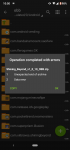
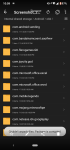
When i try on file manager it still same
 

Attachments

  • Screenshot_20201107-105919.png
    Screenshot_20201107-105919.png
    127.9 KB · Views: 42

You should read before giving comments

  • It is BANNED to spam, advertise or transfer to other webs.
  • Crash game, black screen, white screen, can't open game, so on => make sure that you read and followed all instructions of installation at #1. If there is any error, please make a video to record all of your installation steps. Then you upload it into youtube and send comments to us.
  • If Menu Mod not showing, network error, connection error. Please open game & use VPN to use mod.
  • Always use our apk file and obb file to install
  • If you are a VIP Member, please follow license installation instructions in MANAGER LICENSE in web menu
  • If the game runs well, please leave good comments so that this can motivate modders to create better mod versions. If the game has errors, please give inbox us so that we can fix them.
  • Be a polite person before leaving comments!

Game Hack Similar

Tags: Tags action game hack shining beyond sea free how to cheat shining beyond sea android how to hack shining beyond sea android shining beyond sea android shining beyond sea apk shining beyond sea hack shining beyond sea mod
Back
Top